

Smaller AV systems do not always need a massive rack of switching gear, but they still benefit from the flexibility that lets any source reach any display on demand. A compact four-input router fills that gap, giving classrooms, huddle rooms, retail counters, and home theaters a clean way to manage multiple HDMI sources without re-cabling every time the setup changes. Understanding how this hardware behaves makes choosing the right model much simpler.
Contents
How a Compact Routing Unit Operates in a Small AV Setup
A four-by-four unit accepts up to four HDMI inputs and sends them to four outputs, with each output able to display any input independently. That is the key distinction from a standard splitter, which mirrors one source to several screens, or a basic switcher, which chooses one source for one screen at a time. The matrix design lets two screens show a laptop while two others run a media player or a conferencing feed simultaneously. Many smaller installations rely on a professional 4×4 matrix switcher to keep that routing logic tidy and to handle resolution, audio, and HDCP negotiation automatically in the background.
Sources typically connected to a compact routing unit include:
- Laptops used for presentations or local content
- Streaming media players and signage appliances
- PTZ cameras feeding a hybrid meeting setup
- Conferencing codecs and integrated room systems
- Game consoles or disc players in residential spaces
Everyday Benefits Over Splitters and Basic Switchers
Replacing point-to-point cabling with a centralized router immediately changes how a room feels. Cables run cleanly into one rack location, the front of the equipment area looks uncluttered, and the operator only has to touch a single control surface to redirect content between displays.
Key advantages organizations notice right away include:
- Simplified source management from a remote, app, or front panel
- Cleaner installation with cables consolidated at one hub
- Reduced clutter behind displays and inside furniture
- Centralized control through web GUI, IR, or RS-232
- More flexible display layouts than basic splitters allow
These improvements stand out most clearly in spaces that change roles throughout the day, where adaptability is more valuable than raw output volume.
Common Use Cases for Four-Input Routing Hardware
The four-input, four-output footprint hits a sweet spot for venues that do not need enterprise-scale infrastructure but still juggle several sources. The same chassis works just as well in a corporate huddle room as it does in a residential entertainment space, which is part of why this form factor remains so popular among integrators.
Typical deployments include:
- Small conference rooms with a laptop, codec, and dual displays
- Classrooms combining a teacher PC, document camera, and student feed
- Retail displays rotating product videos across multiple screens
- Houses of worship feeding a sanctuary screen plus a lobby monitor
- Home theaters routing console, streaming box, and disc player sources
- Compact control rooms monitoring several camera or system feeds
What to Look for When Specifying a Unit
Before purchasing, it pays to confirm that the unit will keep up with both current sources and the next round of upgrades. Resolution and HDCP support are the most common compatibility traps, but several other specifications also deserve attention during the evaluation phase.
Key criteria to verify on the datasheet include:
- Supported resolution, with 4K60 4:4:4 preferred for fine detail
- HDMI version compatibility for HDR, deep color, and high frame rates
- HDCP 2.3 support for protected streaming services
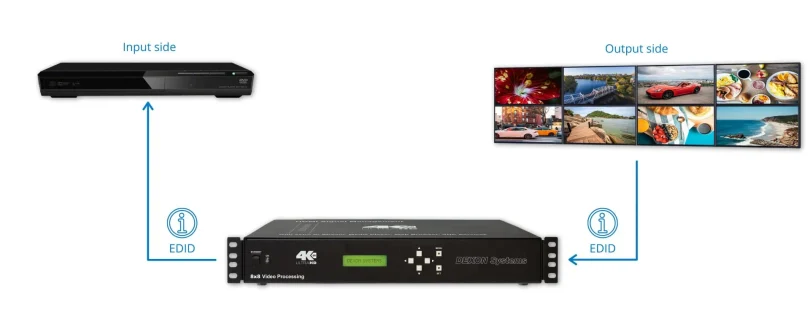
- EDID management to stabilize handshakes across mixed displays
- Audio handling, including embedded and de-embedded output options
- Control options such as IR remote, front panel, web GUI, and RS-232
- Future scalability through cascading or HDBaseT transmitter support
For small and mid-sized AV environments, a well-chosen four-input router quietly becomes one of the most useful pieces of hardware in the rack. It tames cable sprawl, simplifies daily operation, and gives the space room to evolve as new sources or displays are added. Spending time on the specification ensures the finished setup feels effortless to use long after installation day.