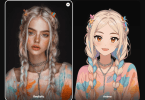

The promise of Image to Video AI is not that every photo suddenly becomes cinema. The more useful shift is simpler than that. A still image often contains enough atmosphere, composition, and intent to communicate something meaningful, yet in many contexts it struggles to hold attention for more than a second or two. That gap between “good image” and “watchable content” is where this kind of tool becomes interesting. Instead of asking people to learn a full editing workflow, it offers a lighter path: upload a picture, describe the motion you want, wait for processing, and review the result. In my view, that matters less as a gimmick and more as a change in how visual ideas get tested.
Why Motion Changes Image Value So Quickly
A strong static image already does hard creative work. It frames a subject, sets mood, and gives the viewer a focal point. But once that image moves, even slightly, its role changes. It can suggest narrative, reveal detail through camera motion, or create a rhythm that feels more native to social feeds and short-form platforms.
This is why image-to-video tools have become easier to take seriously. They are not replacing high-end production. They are reducing the distance between concept and motion test. For a marketer, educator, creator, or seller, that shift is practical. An animated product visual is often easier to notice than a static product card. A diagram with motion cues can be easier to understand than a flat slide. A travel photo with subtle movement can feel closer to a memory than a file sitting in a gallery.
A Better Fit for Fast Visual Iteration
What stands out on the official site is not complexity but accessibility. The platform is presented as web-based, with no software download required, and it emphasizes that people can work from common devices and browsers. That lowers the threshold for experimentation.
The Real Appeal Is Friction Reduction
In many creative workflows, the first draft is where projects stall. A person has an image, maybe even a clear intention, but not enough time to animate it properly. A tool like this shortens that early stage. You can test whether a visual idea becomes stronger once motion is introduced, without committing to a full editing session.
How the Platform Actually Works in Practice
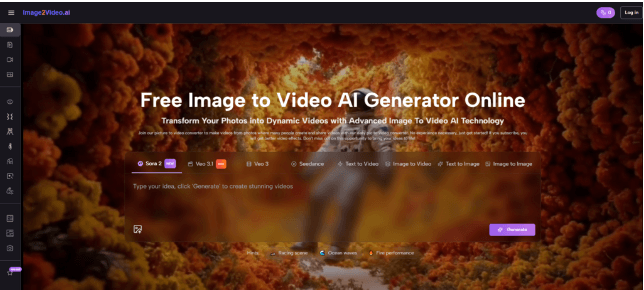
The website lays out a straightforward workflow, and that simplicity is one of its main strengths. Based on the homepage guidance, the process is structured around four steps rather than a crowded editing pipeline.
Step One Starts With the Image Choice
You begin by choosing and uploading a picture. The site says the platform supports common formats such as JPEG and PNG, which makes the starting point familiar rather than technical. In practical terms, this means the image selection matters more than people often assume. A clear subject, readable lighting, and a composition with visual depth usually give motion generation more to work with.
Step Two Depends on Prompt Intent
After upload, the next step is entering a text description. This part is important because the platform frames the prompt as the instruction layer that tells the system what kind of motion or visual treatment you want. In my testing mindset, this is where good results are usually won or lost. The clearer the instruction, the less likely the output feels random.
Step Three Is Mostly Waiting, Not Editing
The homepage describes a processing stage and notes that generation typically takes around five minutes. That is worth mentioning because it shapes expectations. This is not an instant slider-based editor where every tiny change happens live. It is closer to a request-and-render process.
Step Four Is Review Before Distribution
Once the status is complete, the result can be checked, downloaded, and shared. That last phase sounds ordinary, but it reveals the product’s real positioning. It is built less like a timeline editor and more like a conversion tool for turning static visual material into short-form output that can move into broader publishing workflows.
What the Product Features Actually Suggest
A homepage can be full of slogans, so the useful question is what the feature set implies about intended usage.
It Treats Animation as Accessible, Not Specialized
The platform highlights one-click creation, free entry access, and an interface designed for people without advanced technical skills. That combination suggests a product aimed at people who want motion outcomes without adopting the full vocabulary of video editing.
It Adds Variety Through Effects and Motion Control
The site also emphasizes a large effects library and camera motion controls such as pan, zoom, tilt, and rotation. Those details matter because they shift the result away from a plain slideshow feeling. Even modest camera movement can make a still image feel spatial rather than flat.
It Stays Close to Common Output Expectations
The platform presents MP4 as the video output format, which is practical because it fits most everyday sharing and publishing needs. There is little glamour in that detail, but convenience often decides whether a tool gets used repeatedly.
Where This Kind of Tool Makes the Most Sense
A common mistake is to judge image-to-video systems as if they must serve every type of video creation. They do not. Their value appears most clearly in scenarios where existing visual assets already exist and motion is the missing layer.
For Product Communication
A product photo can become more persuasive when motion adds depth or emphasis. Rotational feeling, subtle camera push-ins, or movement around details can make an item easier to inspect. For e-commerce teams, this is often more useful than flashy editing.
For Social Content Production
Feeds reward motion. Even a short generated clip can outperform a static post simply because it creates pause. That does not guarantee quality, but it changes the odds of being noticed.
For Memory and Personal Storytelling
Family photos, travel scenes, and archival images gain emotional force when they feel slightly alive. The official site leans into this use case, and I can see why. Short motion clips from still images often feel more intimate than overproduced edits.
For Education and Explanation
An infographic or reference image can benefit from animated emphasis. Movement can direct attention, pace understanding, and make static teaching material feel less rigid.
How Prompting Changes the Outcome More Than People Expect
The platform may appear simple on the surface, but output quality still depends heavily on instruction quality.
Describe Motion, Not Just Subject Matter
Many users describe what the image contains instead of what should happen. That is understandable, but less effective. The image already contains the subject. The prompt should clarify motion behavior, mood, and emphasis.
Keep the Request Focused
A still image cannot convincingly support every transformation at once. When the instruction asks for dramatic cinematic action, emotional storytelling, fast transitions, and multiple moving focal points all together, the result may feel confused.
Use Restraint as a Quality Strategy
Subtle movement often looks more credible than exaggerated motion. In my observation, a short clip with controlled camera drift or measured subject emphasis usually feels stronger than a clip trying too hard to prove it is AI-generated.
A Comparison That Helps Set Expectations
The easiest way to understand the platform is to compare it against adjacent creative paths.
| Approach | Best Starting Asset | Main Strength | Main Tradeoff |
| Static image post | Single finished image | Fastest to publish | Limited attention span |
| Traditional video editor | Raw footage or layered assets | Deep control | Slower workflow and higher skill demand |
| Slideshow tool | Multiple photos | Easy sequencing | Often looks formulaic |
| Image-to-video generator | One strong still image | Quick motion from existing visual | Less granular control than full editing |
Where the Limits Become More Honest Than the Hype
The homepage is enthusiastic, but the FAQ reveals useful boundaries, and those boundaries make the tool easier to evaluate seriously.
The Clip Length Is Short
The platform currently notes support for five-second generation. That is not a flaw by itself, but it means the product is strongest for short visual moments, not long narrative scenes.
Background Audio Is Still a Constraint
One FAQ entry indicates that background music from audio files has not yet been added. That is important because some marketing language on the site gestures toward photo-and-music outcomes. For users, the safe reading is that visual generation is the current core, while audio flexibility remains limited.
Results Still Depend on Input Quality
A weak source image or vague instruction can make the output feel generic. This kind of system reduces labor, but it does not eliminate creative judgment.
Why Limitation Can Still Be Useful
A five-second cap and a prompt-driven workflow can actually sharpen decision-making. They force the user to ask a better question: what is the one motion idea this image truly needs?
Why Tools Like This Matter Beyond Novelty
The most persuasive reason to care about image-to-video generation is not that it produces spectacle. It is that it changes the cost of trying. When motion becomes easy enough to test, more people explore visual storytelling without first building a production stack. That affects how brands prototype ads, how creators repurpose archives, how educators animate explanation, and how ordinary users turn personal images into shareable moments.
Image to Video AI is most convincing when approached with measured expectations. It will not replace filmmakers, editors, or motion designers. It does something narrower and, in many workflows, more immediately useful. It helps people take an image that already has potential and ask a better follow-up question: what happens when this still frame finally gets permission to move?