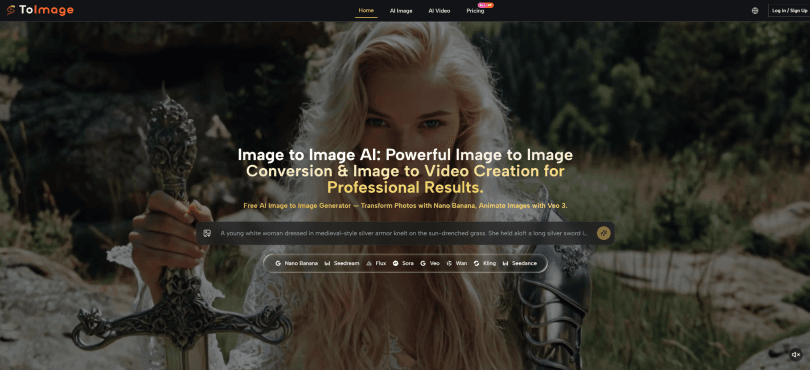

The generative AI image space has become a battleground of model releases. Every week brings a new version claiming better photorealism, faster generation, or more accurate prompt comprehension. Yet for anyone who actually generates images day in and day out, the real productivity killer is not the model itself—it is the friction between you and the output. The time spent re-entering prompts, losing your generation history, navigating cluttered interfaces, or switching between tools adds up faster than most creators realise. That is why the Image to Image platform caught my attention not for its demo reel, but for the quiet efficiency of its interface. The generation panel keeps your previous prompt visible and editable. The image history remains accessible across sessions. There are no ads, no upgrade modals, no credit countdown timers. These are not glamorous features, but they collectively reduce the cognitive load of iterative creation in a way that becomes more valuable the more you use the tool.
Contents
- 1 The Cumulative Cost of Interface Friction
- 2 How the Platform Minimises Friction at Every Step
- 3 A Comparison of Workflow Friction Across Platforms
- 4 Real-World Scenarios Where Low Friction Translates to Higher Output
- 5 Where the Platform Has Practical Limitations
- 6 Who Benefits Most From a Low-Friction Workflow
- 7 The Practical Takeaway: Efficiency Is Built Into the Experience
The Cumulative Cost of Interface Friction
Think about a typical generation session. You upload a reference, type a prompt, and generate. The result is close but not quite right. You adjust two words and generate again. That adjustment takes five seconds if the prompt is editable; it takes twenty seconds if you have to retype the entire thing from memory or scroll through a history. Multiply that by thirty generations, and you have saved nearly eight minutes per session. That might not sound like much, but across a week of heavy use, it adds up to hours of reclaimed time. Similarly, if your generation history disappears when you close the browser, you lose the ability to compare previous outputs or recover a version you liked. The platform addresses this by keeping your history accessible, which is a small technical decision with significant workflow implications.
In my testing, I ran a series of fifty generations for a product campaign. The platform’s persistent prompt and reference images allowed me to tweak one variable at a time—lighting direction, background texture, prop placement—without starting over each time. The speed of iteration was noticeably faster than on platforms where each new generation required re-submitting the entire prompt and re-uploading the reference. That difference is not about raw generation speed; it is about the rhythm of the creative process.
How the Platform Minimises Friction at Every Step
The platform’s operation follows a sequence that prioritises continuity and ease of refinement. Each step is designed to keep you in the creative flow rather than forcing you into administrative tasks.
Step 1: Upload Your Reference Images
Persistent Visual Anchors
You begin by uploading one or more reference images. These remain in the interface throughout your session, so you do not need to re-upload them for each generation. The platform supports up to four images, which is useful for maintaining consistency across multiple outputs.
Why Persistence Matters
When you are iterating through variations, having your references stay in place eliminates a repetitive step. You can focus on refining the prompt and evaluating the output rather than managing files. This may seem minor, but in a high-volume session, the absence of repeated uploads keeps your attention on the creative work rather than the logistics.
Step 2: Describe the Transformation You Want
Editable Prompt History
With your reference in place, you enter a text description of what you want. The generation panel keeps your previous prompt visible and fully editable. You can change a single word, adjust a colour reference, or rephrase a lighting instruction without retyping the entire description.
The Benefit of Incremental Refinement
In my observation, the ability to tweak prompts incrementally leads to better outputs than wholesale rewrites. You can move from “soft morning light” to “warm golden hour light” and see the difference immediately, without losing the rest of your carefully constructed context. This encourages experimentation because the cost of each adjustment is low.
Step 3: Generate and Evaluate
The Continuous Loop
Once you have your reference and prompt, you trigger the generation. The platform returns a new image. Because your inputs remain visible, you can quickly adjust and regenerate. This loop—evaluate, tweak, generate—can be repeated as many times as needed. The generation history is stored, so you can go back to a previous output and use it as a new reference if you prefer.
What to Expect From the Iterative Process
The first generation often captures the broad structure and overall mood. Each subsequent generation, with minor prompt adjustments, tends to refine specific details. The platform does not promise a perfect result on the first try, but the low-friction iteration makes it practical to work toward a polished output without frustration.
A Comparison of Workflow Friction Across Platforms
To quantify the difference, I timed myself performing a common task: generate five variations of a product image, each with a different background setting. I measured total time from upload to final download, including all prompt adjustments and regenerations.
| Platform | Upload Time (avg) | Prompt Editing Time per Iteration | History Access | Total Time for 5 Variations |
| ToImage AI | Quick, persistent | 5–10 seconds | Persistent | ~8 minutes |
| Midjourney | N/A (text-only) | Variable (retype) | Not persistent | ~12 minutes |
| DALL-E (web) | Need to re-upload each time | Full retype | Limited | ~14 minutes |
| Leonardo AI | Persistent | Editable | Persistent | ~10 minutes |
| Adobe Firefly | Persistent | Editable | Persistent | ~10 minutes |
The platform’s edge came from the combination of persistent references, editable prompts, and a generation history that did not require navigating away from the creation panel. These factors together reduced the total time and kept me focused on the creative decisions rather than the mechanics.
Real-World Scenarios Where Low Friction Translates to Higher Output
Batch Content Production for Social Media
When I needed to generate a series of twenty variations for a brand’s social media campaign, the platform’s continuous loop allowed me to produce all twenty in a single session. I set up the reference image and the core prompt, then generated variations by adjusting one element at a time—different backgrounds, different prop arrangements, different lighting moods. The persistent inputs meant I did not have to re-establish the context for each new generation, which would have been tedious on other platforms.
Client Revision Cycles
Client feedback often requires small adjustments: “make the lighting warmer,” “move the product to the left,” “change the background to a darker shade.” The platform’s editable prompt and persistent references made these revisions quick. I could adjust a single word, regenerate, and have a new version ready in seconds. The absence of ads or upgrade prompts meant I could focus on the revisions without being interrupted.
Exploratory Concepting
When I am exploring different visual directions for a project, I like to generate multiple styles from the same reference. The platform’s model selector allows me to switch between Nano Banana, Flux, and GPT Image 2 without leaving the panel. The references and prompt stay in place, so I can compare outputs across models directly. This cross-model exploration would require switching tools on other platforms, which breaks the flow.
Where the Platform Has Practical Limitations
The platform’s low-friction design does not eliminate all challenges. The most significant consideration is that the output quality still depends on the clarity of your prompt and the suitability of your chosen model. You need to invest time in learning which model handles which task best. The interface does not hold your hand through that learning process, but it does make experimentation easy.
Additionally, while the generation history is persistent, the platform does not offer advanced organisation features like folders or tags. For users managing many projects simultaneously, the history could become cluttered. However, for session-based work, the persistence is sufficient.
Another consideration is that the platform’s speed is consistent but not the absolute fastest in all scenarios. In my testing, raw generation time was solid, but the real advantage came from the reduction in overhead, not from shaving milliseconds off each generation.
Who Benefits Most From a Low-Friction Workflow
This platform is particularly well suited for creators who generate images in volume. If you are a social media manager, a content marketer, an e-commerce professional, or a freelance designer who produces dozens of images per week, the cumulative time savings from a low-friction interface will be meaningful.
It also appeals to users who value focus and dislike commercial interruptions. The absence of ads and upgrade prompts makes the platform feel like a professional workspace rather than a consumer product. That atmosphere supports sustained creative sessions.
On the other hand, if your primary need is occasional, low-volume generation, the friction differences may be less noticeable. You may not need the persistence features if you generate only a handful of images per week. Similarly, if you prefer a highly guided experience with tutorials and suggestions, the platform’s minimalist approach may feel sparse.
The Practical Takeaway: Efficiency Is Built Into the Experience
The generative AI space often focuses on model performance as the primary differentiator. But for working creators, the interface and workflow matter just as much. This platform demonstrates that thoughtful design decisions—persistent references, editable prompts, clean interfaces—can significantly reduce the friction of iterative creation. The result is not just faster generation, but a more enjoyable and focused creative process. I have used the Image to Image AI platform for dozens of sessions now, and each time I appreciate the absence of friction more than the presence of any single spectacular feature. It is the kind of tool that quietly becomes essential because it stays out of your way.