
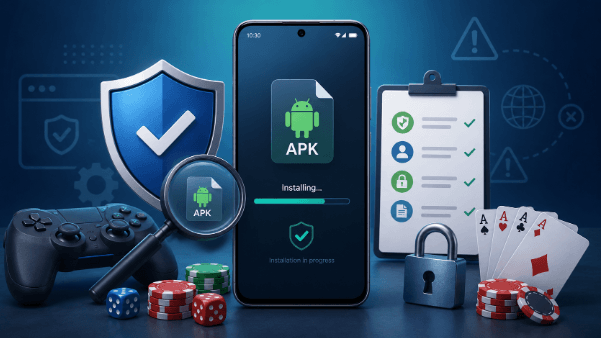

An APK is an Android app file. Think of it like a sealed box left at your door. Before you open it, you check the label, the sender, and the tape. The same rule applies before you install an online gaming APK.
This matters more with gaming apps because they often handle logins, payments, wallets, bonuses, and personal data. A bad APK can steal your account, drain funds, show fake screens, or install hidden tools on your phone.
You do not need to be a security expert. You need a clear habit. Check the source. Check the permissions. Check the file. Check the brand. Then install only when each detail makes sense.
Contents
Check The Source Before You Download
Start with the download page. Do not start with the file. A clean APK from the wrong place can act like a key cut by a stranger. It may open the right door, but you do not know who else has a copy.
Use the app’s official website or a trusted app store when one exists. Avoid APK mirrors, forum links, short links, and files shared in chat groups. These routes add extra hands between you and the app. Each hand can change the file.
For example, a user searching for bc game download should use the official APK page rather than a random repost. That keeps the path short and easier to check.
“The first safety check is not inside your phone. It is the page where the APK begins.”
Also check the page address. Look for the correct brand name, a secure HTTPS connection, clear install steps, and support links. If the page looks rushed, broken, or stuffed with fake urgency, leave it.
Review The Permissions Before You Tap Install
Permissions show what an APK wants to touch on your phone. Read them like a list of keys. A game may need internet access. It may need storage for updates. It should not need your SMS, call logs, contacts, or microphone unless the feature clearly requires it.
A safe check takes less than a minute. Look for permissions that match the app’s real job.
Check these items before you install:
- Internet Access: Normal for online games, live play, account login, and updates.
- Storage Access: Common when the app saves files, patches, or cached data.
- Location Access: Questionable unless the app uses regional rules or fraud checks.
- Camera Access: Only makes sense for ID checks or QR payments.
- Microphone Access: Rarely needed for a gaming APK.
- Contacts Access: A warning sign in most cases.
- SMS Access: A major risk unless the app explains why it needs it.
- Device Admin Access: Avoid it unless you fully trust the app and know the reason.
If one permission feels out of place, stop. A flashlight app should not ask for your bank card. A gaming APK should not ask for your private life.
Check The File Details Before Installation
Before you install the APK, inspect the file details. Treat the file like a package at your door. The label should match what you ordered. The size, name, and version should make sense.
A fake APK often uses small tricks. It may add one extra word. It may copy the app icon. It may use an old version number. These clues look minor, but they can save your account.
| What To Check | What Looks Safe | What Looks Risky |
| File Name | Clear brand name and app name | Misspellings, extra symbols, random numbers |
| File Size | Close to the size listed on the official page | Much smaller or much larger with no reason |
| Version Number | Matches the current release notes | Old, missing, or strange version code |
| Publisher Name | Matches the real company or platform | Unknown developer or copied brand name |
| Download Path | Direct from the official page | Mirror site, ad link, or chat upload |
Do not rush this step. A fake APK works like a forged ID. It may look right at first glance, but the small details give it away.
Match The APK To The Real Brand
A safe APK should connect back to the same brand, domain, and account system you expect. Do not treat the app as separate from the site. Treat both as two doors into the same building. The signs should match.
Open the main website first. Check the logo, spelling, support links, terms, and account pages. Then compare them with the APK page. A real app should use the same brand voice and the same core details. For example, if a player starts from bc.game, the APK page should feel like part of the same platform, not a loose copy on a strange domain.
Watch for small tricks. Fake pages often change one letter, add a dash, or use a cheap-looking subdomain. They may copy colors and buttons but miss the deeper details. Close the page if the brand feels stitched together.
Scan For Security Signals
Before you install the APK, look for security signals. These are small signs that the app owner treats user safety as part of the product, not as an afterthought.
Start with the basics. The site should use HTTPS. The download page should explain the install steps. It should not push you through pop-ups, fake countdowns, or flashing buttons. A clean page feels like a marked trail. A risky page feels like a back alley.
Also check for clear links to privacy terms, support, responsible gaming rules, and account protection. These pages do not make an APK safe by themselves, but their absence tells you something.
If the platform handles deposits or withdrawals, look for two-factor authentication and clear account recovery steps. Money changes the risk. Treat any payment-linked APK like a banking app with games attached.
Test The App Before You Trust It
After installation, do not put everything into the app at once. Open it slowly. Check the login screen. Check the menu. Check the account area. Make sure the app points to the same service you expected.
Use a small first step. If the app supports payments, do not rush into a large deposit. If it asks for extra permissions after launch, read the request before you approve it. A safe app should not keep moving the goalposts.
Keep your phone updated. Use a screen lock. Turn on two-factor authentication if the platform offers it. These steps do not slow you down much, but they give your account a stronger door.
If the app crashes, redirects to odd pages, changes icons, or shows ads outside the app, remove it. These signs do not prove theft, but they show poor control. Poor control and money do not mix well.
Conclusion
An online gaming APK can offer fast access, smoother play, and direct account control. It can also carry real risk. The difference often sits in small checks made before installation.
Check the source first. Then review the permissions, file details, brand match, and security signals. Each step works like a lock on a door. One weak lock may not prove danger, but several weak locks should stop you.
Do not install under pressure. Do not trust a file because it looks familiar. Trust a clear path, a real domain, fair permissions, and visible support.
A safe install starts before the app touches your phone.